For a lot of online stores — especially outside North America — WhatsApp is customer service. Orders come in on it. "Where's my delivery?" comes in on it. Complaints, reorders, and "do you have this in blue?" all come in on it, at all hours, to a phone that one person carries.
An AI chatbot on WhatsApp sounds like the obvious fix. It can be, if it's built with the platform's rules in mind, connected to real order data, and designed to hand over to a human at the right moment. Built without those three things, it's an expensive way to annoy your best customers.
Here's how to get it right.
First: the rules you're building inside
Custom, system-connected bots typically use the WhatsApp Business Platform (the API). The Business app is a different product. Platform constraints shape what an integration can do:
Respect the 24-hour window. A user message opens or resets the customer service window. Free-form replies are allowed inside it; outside it, use approved templates for their intended purpose. WhatsApp's messaging policy also requires a clear escalation path for automation.
Obtain permission before outbound messages. The customer must provide their number and opt in to subsequent messages. A purchase alone is not blanket permission. Record consent and honour opt-outs. See the official policy.
Budget per delivered message. Meta's published model is per-message, with rates and exemptions depending on category and recipient market. Do not use legacy per-conversation estimates or assume service traffic will always be free. Check the current pricing page and your provider's rate card before launch. Pricing and policy links checked on 29 September 2026.
Quality rating is real. Blocks and reports lower your rating and can throttle your sending. A bot that sends unwanted messages hurts your ability to send wanted ones.
Text only here. This article covers messaging, not calling or voice automation.
None of this is a blocker. It just means the useful bots are inbound-first, consented, and accurate.
The three bots worth building
Bot 1: "Where is my order?" (build this first)
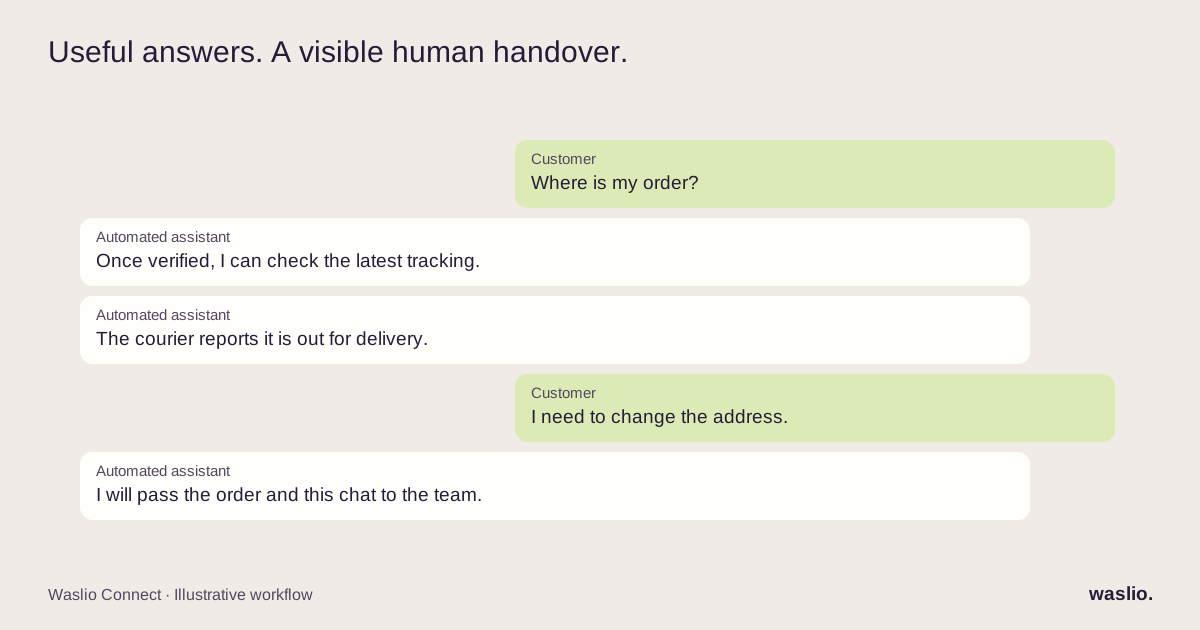
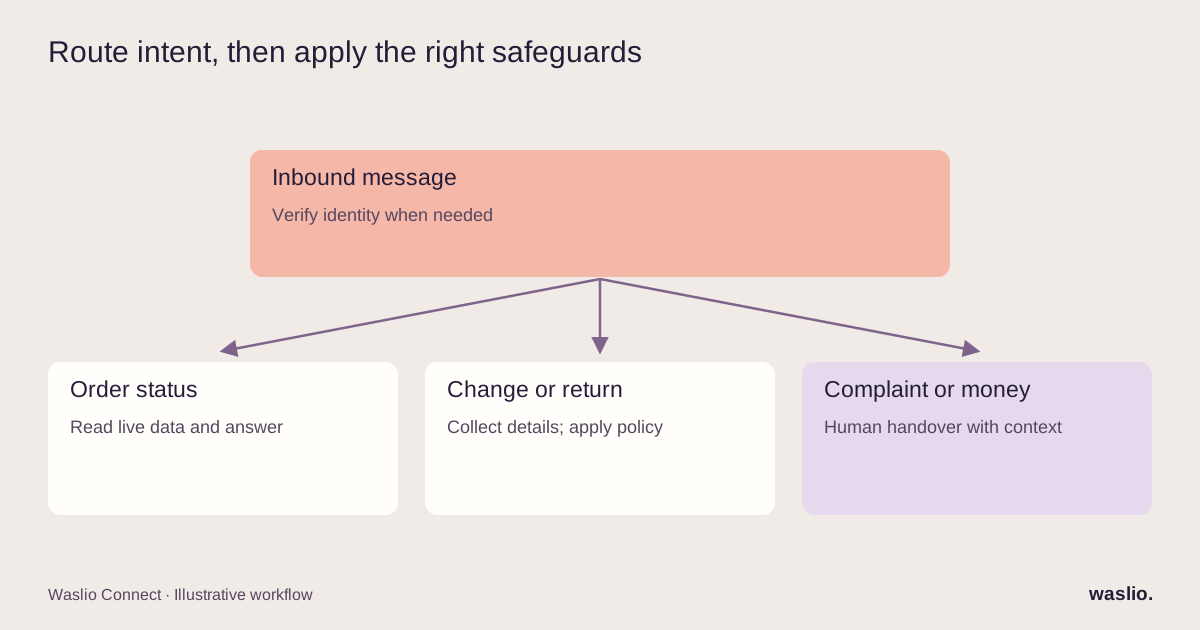
One of the recurring questions many stores receive. The bot matches a possible customer, verifies their access to the requested order, pulls live courier tracking, and answers with the status. Do not expose an address or tracking link solely because someone typed a matching phone number or order reference.
Needs: Store API access, courier tracking access, a phone-number-to-customer match.
Where it breaks: A bot answering from stale data. It has to fetch tracking live every time. If you dispatch through a tool like Waslio Courier, the bot reads the same tracking the customer page shows.
Impact: Typically the largest single reduction in support volume, and instant answers at 11pm.
Bot 2: Order changes and returns intake
"Can I change the address?" "I want to return this." The bot collects what's needed — order number, new address, return reason, a photo — validates it against the rules (is the order still editable? is it in the return window?), and either applies the change or creates a ticket with everything attached.
Needs: Rules for what's automatable, a ticket or task system for what isn't.
Where it breaks: Letting the bot decide edge cases. Clear cases automatic, ambiguous cases to a human, always.
Bot 3: Product questions with a catalogue behind them
"Do you have this in blue?" "Is this gluten-free?" "What's the delivery cut-off for tomorrow?" The bot answers from your live catalogue and your written policies — not from general knowledge.
Needs: Product data with the attributes customers ask about; a policy document you keep updated.
Where it breaks: The model inventing an answer when the data is missing. The prompt must say "if it's not in the catalogue, say you'll check and hand over."
The handover: the part most bots get wrong
Every bot needs a moment where a human takes over. Complaints, refunds above a threshold, anything emotional, anything the bot isn't sure about.
The mistake is treating handover as failure and hiding it. Done well, it's the feature customers remember:
- The bot says it's handing over and roughly when to expect a reply.
- The human sees the full conversation and a one-line summary — order number, what's been asked, what the bot already answered. The customer never repeats themselves.
- The bot stays out until the human closes the conversation.
- After hours, the bot collects the details and sets the expectation honestly ("The team replies from 9am").
If your helpdesk or inbox tool can't show the human the bot's transcript, fix that before launching the bot.
What it costs
Four lines, roughly in order:
- WhatsApp message charges. Model delivered messages by category and recipient market, using the current rate card and any applicable exemptions. Include expected message volume per interaction, not just the number of conversations.
- A provider or platform to connect to the API, or a direct integration.
- The AI model — small per message; cheap relative to a human reply.
- The build. Bot 1 is days if your store and courier are already integrated. If they aren't, that integration is the larger part.
The number that matters more than any of these: the cost of a support person answering "where is my order" 200 times a week.
What to avoid
Outbound campaigns as the first project. Build inbound service first, earn the quality rating, then consider consented utility messages (order confirmed, out for delivery) — which customers actually want.
A bot that pretends to be human. Say it's automated. Customers behave better with a bot they know is a bot, and it protects you when it makes a mistake.
A bot with no data. A WhatsApp bot that can't see orders is a FAQ page with worse UX.
Skipping the log. Every bot conversation should be reviewable. The first month's transcripts are how you find the questions you didn't anticipate.
Thinking about WhatsApp for your store?
Tell us your platform, your courier, and your top three inbound questions. We'll tell you which bot to build first and whether your systems are ready for it.
Plan my WhatsApp bot →
FAQ
Can an AI chatbot work on WhatsApp for a business?
Yes, through the WhatsApp Business Platform (API). The bot can reply to inbound messages within the service window and send approved template messages to opted-in customers.
What can a WhatsApp AI chatbot do for an online store?
Answer order-status questions with live tracking, collect address changes and return requests, answer product and policy questions from your catalogue, and hand over to a human with a summary when needed.
How much does a WhatsApp chatbot cost?
Budget for Meta's current delivered-message rates, provider fees, model usage and implementation. Categories, recipient markets, exemptions and message volume affect the total; check the current rate card rather than using legacy conversation pricing.
Can the bot message customers first?
Only with prior opt-in and using approved templates. Order and delivery updates to existing customers are the typical, well-received use.
Does the chatbot need access to my store?
For anything beyond static FAQs, yes. It needs live order, tracking and catalogue data to give accurate answers; without that connection it will guess.
Implementation patterns are illustrative. Availability, permissions and pricing vary by platform, version and plan. Confirm these for your setup; effort estimates are not quotations.