Individual PDFs
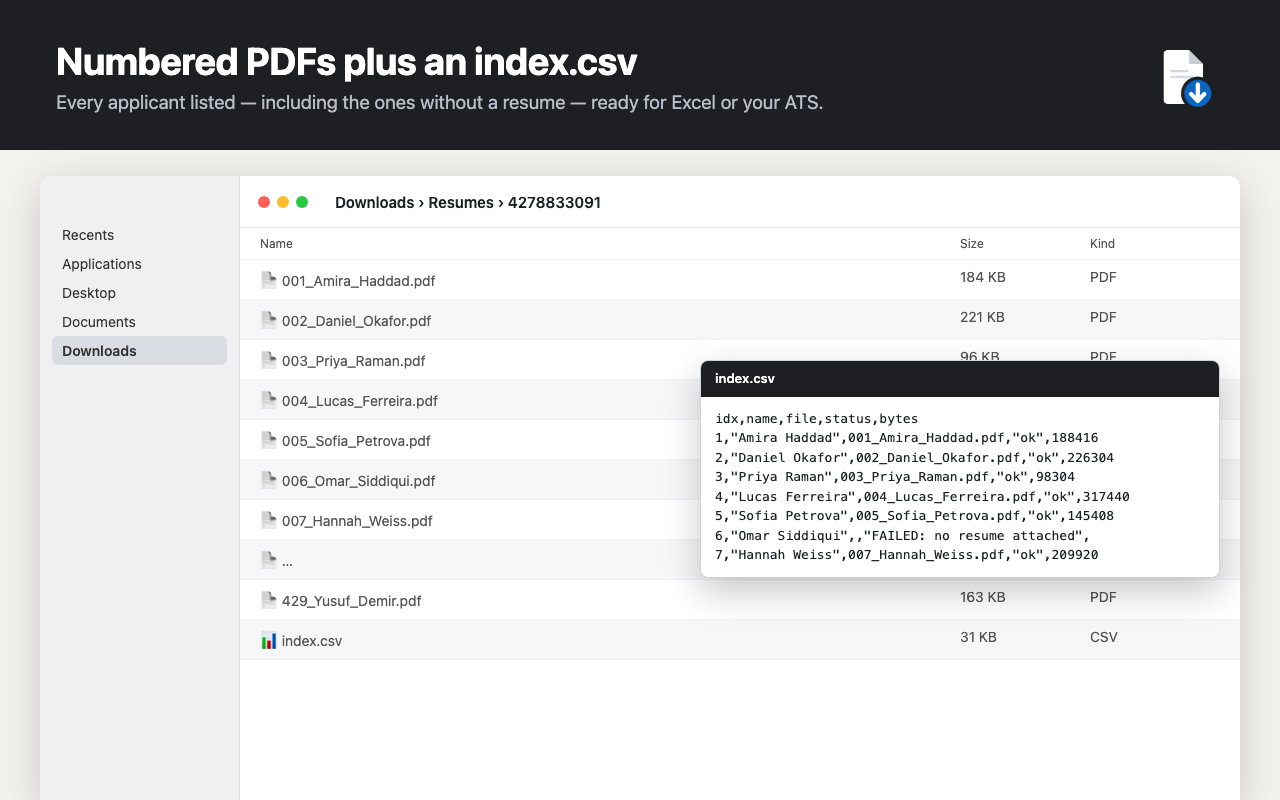
Each resume saves as it downloads — numbered 001_Name.pdf, 002_Name.pdf — so you can start reading before the export finishes.
On a job you posted, Resume Downloader saves available applicant CVs as numbered PDFs or a ZIP and creates an index.csv with names and file status. It works in your signed-in Chrome session on LinkedIn Hiring and Hiring Pro applicant pages.
First 10 resumes per job are free. Pro is $10/month or $89/year. No LinkedIn password sharing; candidate files stay on your computer.
Version 1.5.0 · Updated 26 September 2026 on the Chrome Web Store.
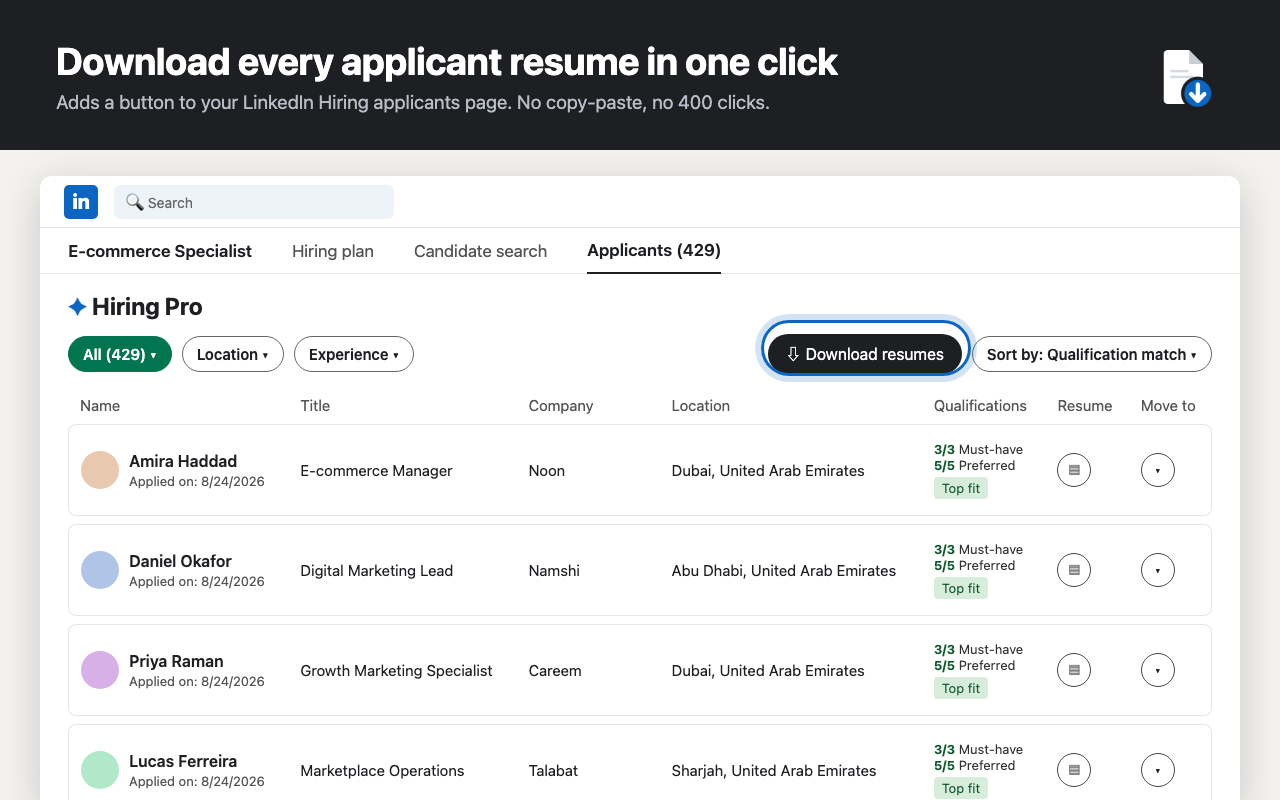
When a job attracts many applicants, saving each attached CV through the viewer takes time. Resume Downloader works through the applicant list you can already access and saves the available resume files.
The accompanying CSV records each applicant and file status, so you can review the result in a spreadsheet and see which applicants had no attached resume.
Start from the Hiring applicant list for a job you posted. Keep the tab open while the export runs.
Go to the Applicants page of a job you posted in LinkedIn Hiring or Hiring Pro. Apply a filter first if you want a smaller set.
Click “Download resumes” by the applicant table, then choose individual PDFs or ZIP in the extension.
Open Downloads/Resumes/<job>/ for the saved files. The CSV maps applicant names to filenames and notes any missing resumes.
Choose the file format that fits your job size. Each export records the applicants it processed in index.csv.
Each resume saves as it downloads — numbered 001_Name.pdf, 002_Name.pdf — so you can start reading before the export finishes.
ZIP mode groups downloaded resumes with the CSV index. For large jobs, individual PDFs use less browser memory.
Applicant name, filename and status in one spreadsheet. Open it in Excel or use it to organize files for your hiring workflow.
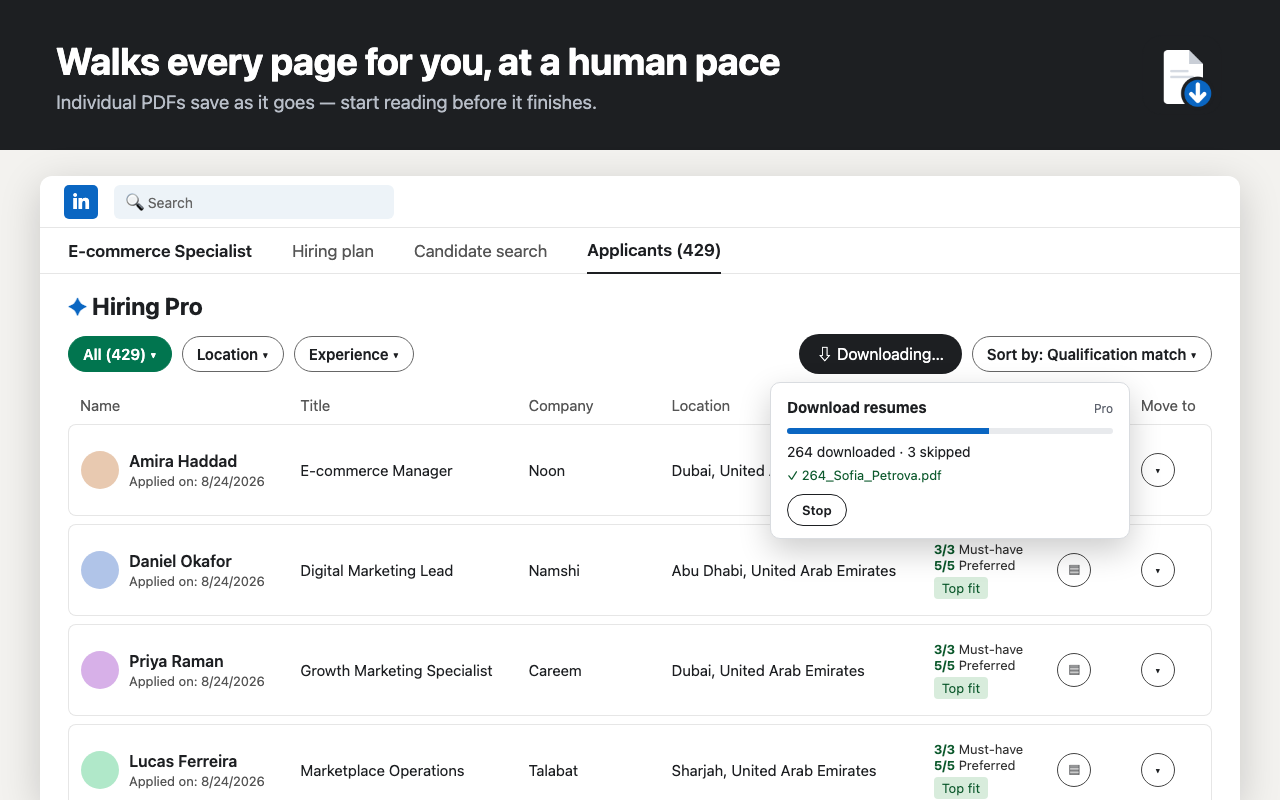
The extension works through the applicant list and shows progress as it goes. You can stop and return to an unfinished export.
When an applicant has no attached resume, the CSV records that status instead of presenting an empty file.
Progress is saved after every applicant. Close the tab, come back tomorrow, click “Resume last export”.
Resume Downloader uses your signed-in LinkedIn session. It saves resume files and the applicant index to your browser's Downloads folder. It does not ask for your LinkedIn password.
No paywall on the first job: 10 resumes free, 50 more for an email, unlimited on Pro.
Upgrade from inside the extension. Payments by ExtensionPay & Stripe. Team or agency pricing: founder@waslioconnect.com.
Yes. On the Hiring or Hiring Pro applicant page for a job you posted, Resume Downloader saves the available attached resumes as PDFs or ZIP and creates an index.csv with applicant names and file status. It only works where your signed-in account can access those resumes.
Open the Applicants page for your job, click “Download resumes” by the table, choose PDF or ZIP, then review the saved files and index.csv in Downloads/Resumes/. The extension processes the applicant list shown to your account. Follow the step-by-step resume download guide.
No. This extension is designed for job-poster applicant lists in LinkedIn Hiring and Hiring Pro. It does not run on Recruiter, Recruiter Lite, profile search, or general LinkedIn Jobs browsing pages.
LinkedIn can change its interface or require account action. If the export stops, check the page, refresh if needed, and resume the saved export. If the problem continues, contact support with the extension version and the error shown; do not send candidate resumes.
No. Candidate names and resume files are processed in your browser for the local export, and the extension does not ask for your LinkedIn password. Trial or Pro sign-up shares your email and subscription or trial status with our licensing and email services. See the extension privacy policy.
Individual PDFs save to Downloads/Resumes/<job>/ with an index.csv. ZIP mode packages the files and index. For large jobs, individual PDFs use less browser memory.
The applicant is recorded in index.csv with a missing-resume status; there is no PDF to download for that row.
Yes. The extension saves export progress so you can return to the same job and resume after stopping or refreshing the tab.
The first 10 resumes per job are free without sign-up. An email-based trial adds 50 resumes across jobs, with no card required. Pro is $10 per month or $89 per year for new subscriptions, and you can cancel any time. Payment is handled by ExtensionPay and Stripe.
LinkedIn's terms and account controls apply to your use. You are responsible for following those terms and the privacy laws that apply to candidate resumes you download. The extension does not bypass account access requirements.
Start free on a LinkedIn Hiring applicant list you already have access to.
Connected products for the work that happens around a sale.
Waslio CourierLive Shopify app↗Waslio Odoo ConnectorComing soon↗All productsBrowse the collection↗