Walks every page
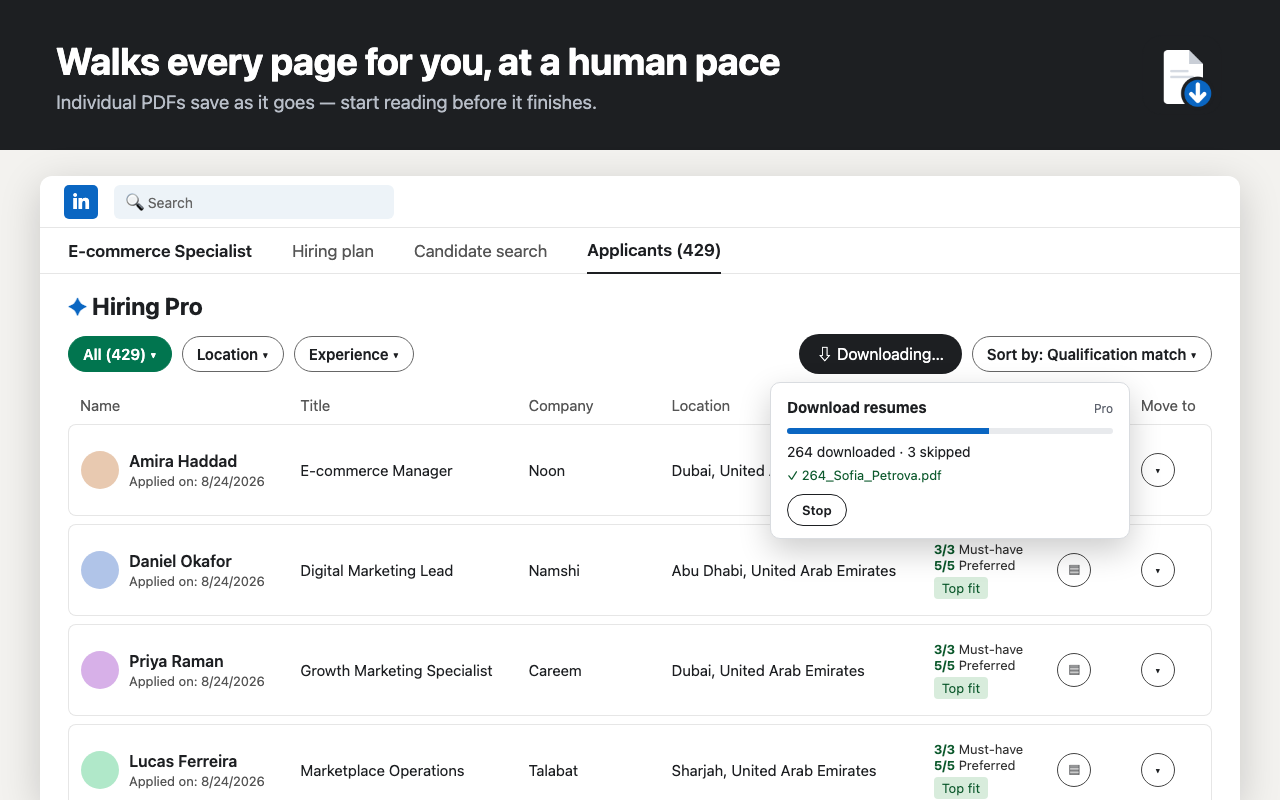
Paginates through the whole applicant list automatically — 30 or 3,000, same one click.
Adds a Download resumes button to your LinkedIn Hiring applicants page. It walks every page, saves each resume as a numbered PDF (or one ZIP) and writes an index.csv — while you get on with something else.
Free for the first 10 resumes per job. No account, no server — your candidates' data never leaves your browser.
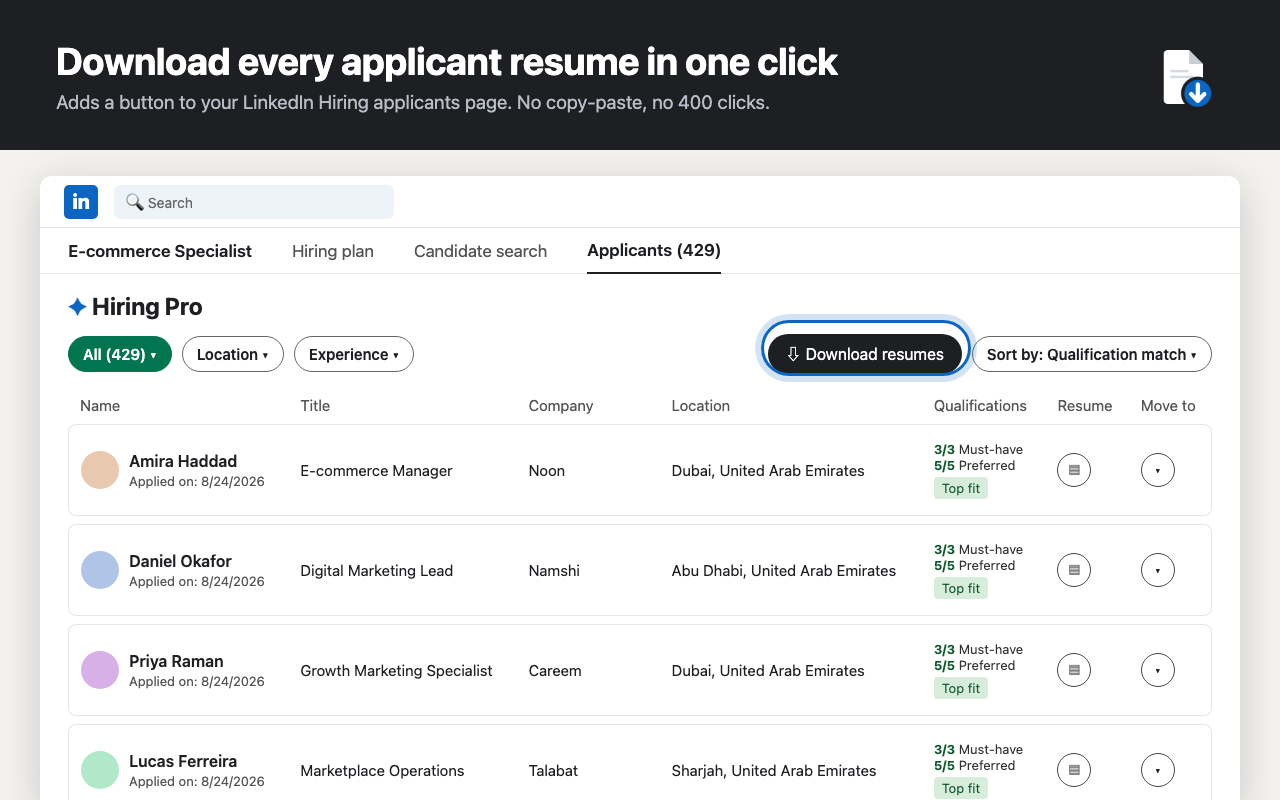
A job post with a few hundred applicants means an afternoon of open-download-close. The extension does exactly those clicks for you, in your own browser, at a human pace.
Any job you posted on LinkedIn. Filter to “Top fit” first if you only want those — the extension exports whatever the table shows.
The button sits next to LinkedIn's Sort control. Pick individual PDFs or one ZIP in the extension's settings.
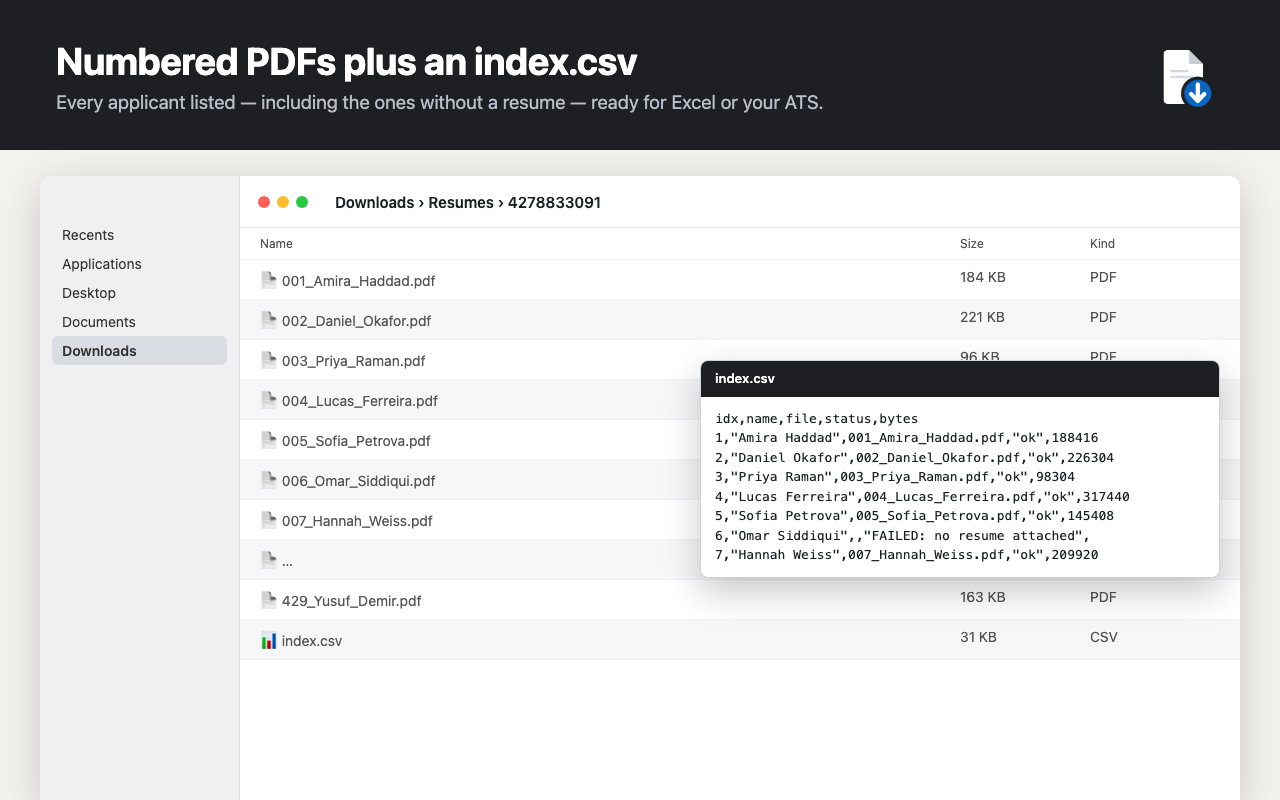
Downloads/Resumes/<job>/ with 001_Name.pdf, 002_Name.pdf … and an index.csv listing every applicant, including those without a resume.
Paginates through the whole applicant list automatically — 30 or 3,000, same one click.
Individual files save as they arrive so you can start reading; or a single archive at the end for 100+ applicants.
Name, file, status, size for every applicant. Opens in Excel; imports into Greenhouse, Lever or Workable.
Progress is saved after every applicant. Close the tab, come back tomorrow, pick up where you left off.
Applicants without a resume are logged as such, so your count always adds up.
No server, no account. Runs in your own logged-in session; files go only to your Downloads folder.
Upgrade from inside the extension. Payments by ExtensionPay & Stripe.
Yes. It works on the applicants page of any job you posted — LinkedIn Hiring and Hiring Pro. It does not work with LinkedIn Recruiter (a different product with its own export).
Individual PDFs save straight to Downloads/Resumes/
They're listed in index.csv with the status "no resume attached" and the export continues. Nobody is silently skipped.
No. There is no server. Everything runs inside your browser in your own logged-in LinkedIn session; files are written only to your computer. See the privacy policy.
Yes. Progress is saved after every applicant. Reopen the page and click "Resume last export" — it skips what's already downloaded.
Free exports the first 10 resumes per job post. Pro is unlimited: $29/month or $149/year, cancel any time. Payment is handled by ExtensionPay and Stripe.
The extension only downloads resumes you already have access to, at a human pace, in your own session — it doesn't scrape profiles or touch anyone who didn't apply. Automation tools are nevertheless subject to LinkedIn's User Agreement, and you're responsible for complying with it and with data-protection law for the resumes you keep.
The extension pulls a small configuration file from us, so most layout changes are fixed within hours without waiting for a Chrome Web Store update.
Free for the first 10 per job. Private by design.