noon Send.
Your orders.
Connected.
Move from a Shopify order to a delivery request without juggling dashboards. Connect your noon Send account, confirm the drop-off pin and keep your customers in the loop.
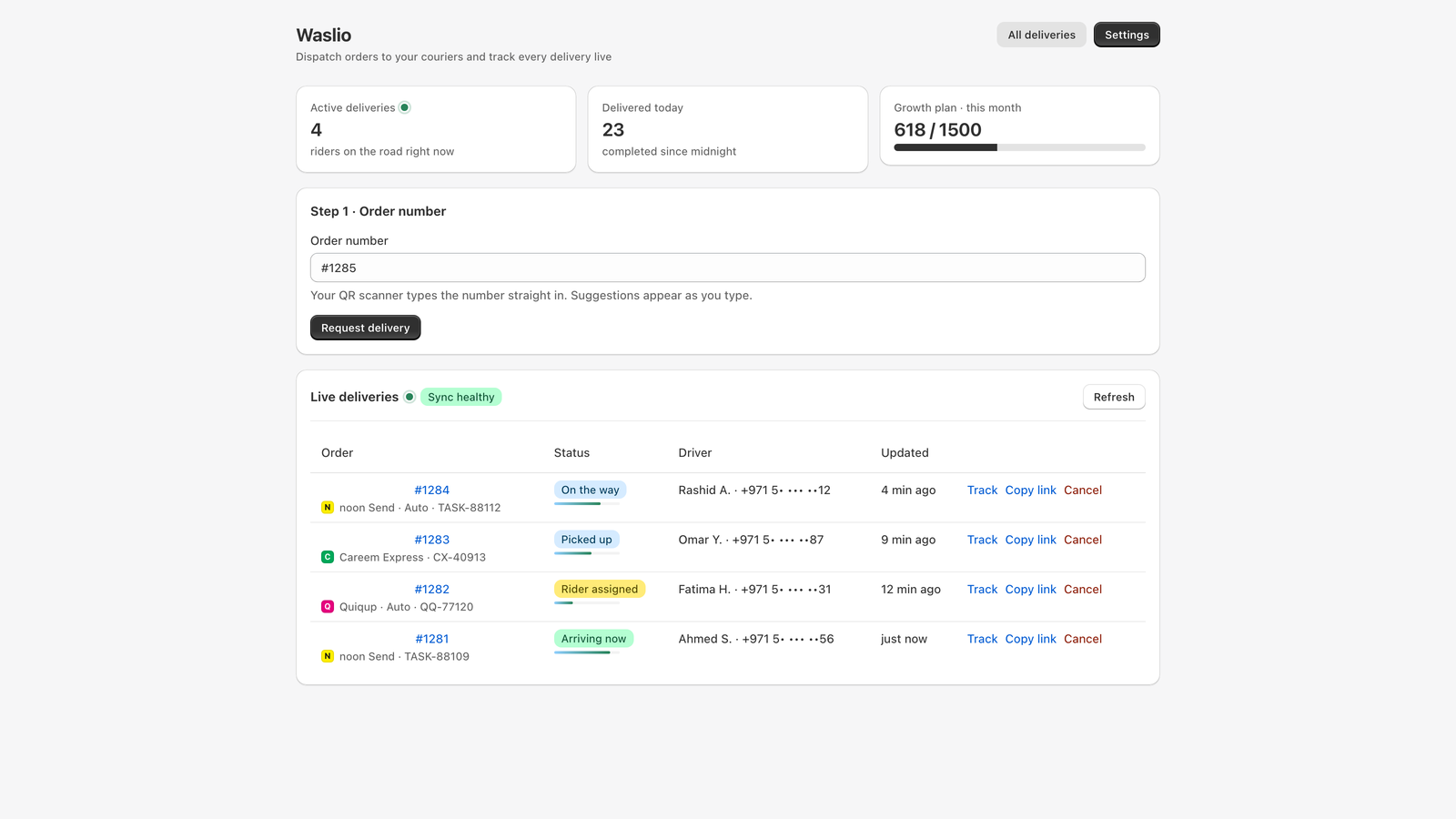
Keep the delivery work
close to the order.
Your team already works in Shopify. Waslio brings delivery dispatch into that workflow, with a drop-off pin check before booking and a tracking page you can share with the customer.
Start with noon Send. Add routing and delivery-slot scheduling when your operation needs them, subject to your app plan.
From setup
to first dispatch.
A practical path for merchants who already have, or are arranging, a noon Send account.
Connect your account
Install Waslio from the Shopify App Store. In Couriers, add your noon Send API credentials and pickup outlet details.
Check the destination
Select an order and confirm its drop-off pin. Check your courier coverage and booking details before dispatching.
Dispatch and share tracking
Confirm the delivery request, follow its status in Waslio and share the branded customer tracking link.
Try the workflow.
Without booking a rider.
The built-in simulated demo lets you explore the delivery flow without a noon account. No real rider is dispatched and no courier API is contacted in demo mode.
When you are ready for live delivery, replace demo credentials with your own noon Send credentials and verify your pickup configuration.
Need help connecting noon Send? ↗Before you
connect.
Can I use noon Send with Shopify?
Waslio connects Shopify orders to noon Send using your merchant-owned courier credentials. Connect the account in Waslio, configure your pickup outlet, then confirm the customer drop-off pin before dispatch.
Can I try it without a noon account?
Yes. Waslio has a simulated delivery demo that lets you explore dispatch and tracking without contacting a real courier. It does not book a noon Send rider. Live deliveries require your own noon Send account and API credentials.
Does Waslio include courier delivery charges?
No. Waslio is the software integration. Courier delivery charges and service coverage are governed by your agreement with noon Send. App plan prices and usage limits are shown on the Shopify App Store.
Is Waslio an official noon app?
Waslio is an independent integration by Waslio Connect. We do not claim official partner status or endorsement by noon.
What about other couriers?
Waslio is built around a wider courier workflow. Careem Express and Quiqup are Beta integrations awaiting sandbox validation. Confirm readiness with us before relying on them for production deliveries.
Your next delivery starts with the order.
See Waslio’s current plans and install requirements on the Shopify App Store.
View Waslio ↗